Luckily, someone has done their best to fix this problem.
iTransmogrify! is a bookmarklet for iPhone and iPod touch which transforms embedded Flash content into direct links to natively supported formats. That means YouTube videos and MP3s can now be played from the iPhone's Safari web browser with just a few clicks. The iTransmogrify! bookmarklet recognizes and converts a variety of embedded Flash content from web pages so they will play on iPhone and iPod touch.
Currently supported formats include: YouTube, embeds and YouTube pages, Blip.tv, Revver, TED talks and embedded TED talks, Many embeded flash MP3 players ,Kink.fm podcasts, Flickr badges (videos are unsupported) , The Test Suite has more sites.
To install the bookmarklet, just drag the link to your Safari or Firefox Bookmarks, IE users should right click and choose “Add To Favorites” After adding the link, sync your iPhone or iPod touch.
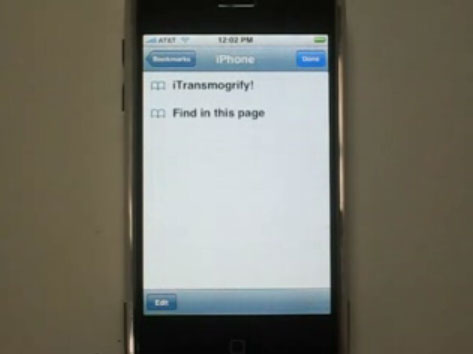
Grab it now: iTransmogrify!
You can also add iTransmogrify from your iPhone!
Then, whenever you find a broken video, just select the bookmark to convert it.
Now, you can watch and play internert videos such as Blip.tv, Revver, TED talks and embedded TED talks, Many embeded flash MP3 players, Kink.fm podcasts, etc on iPod touch and iPhone.
More information, source code and bug-tracking is available on the iTransmogrify Google Code page.
If you want to watch your own videos on iPod touch or iPhone, you can follow this step by step guide: How to convert all video files and extract audio from video on Mac OS X ?
If you want to play dvd movie on iPod touch or iPhone, you can follow this guide: How to rip DVD to all sorts of video and audio files on Mac OS X?

没有评论:
发表评论